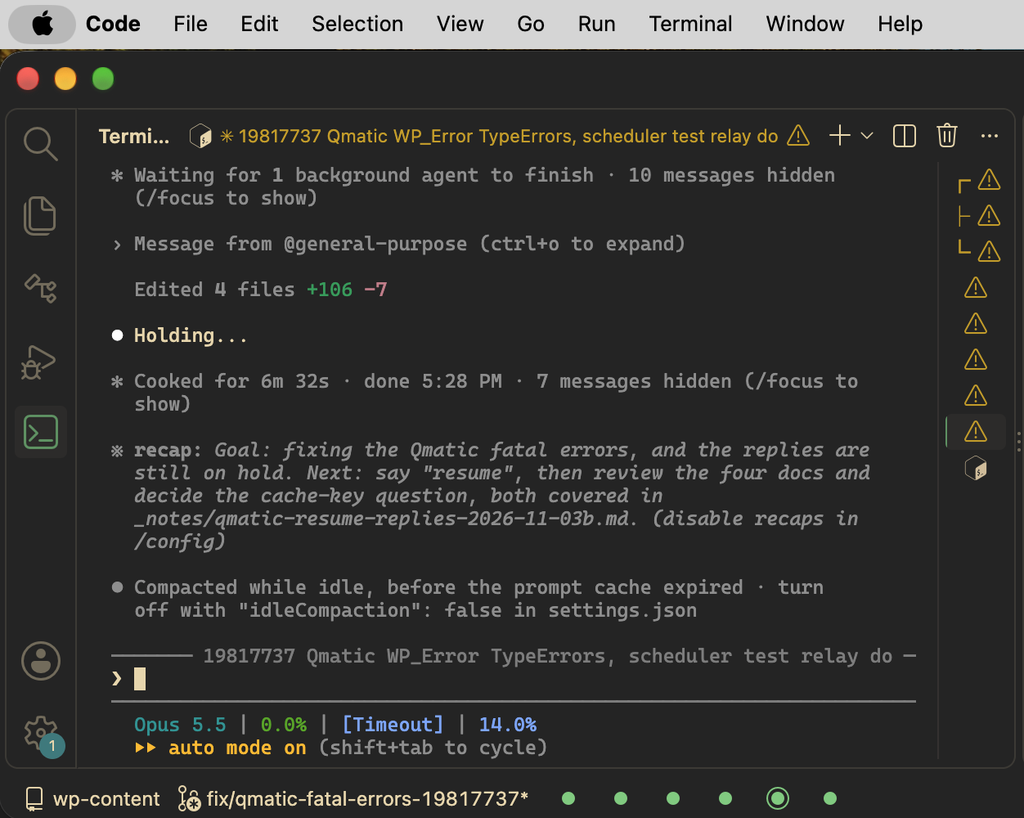
iTerm2 shows a status dot on each tab while Claude Code is running, but it draws a pending permission prompt in the same blue as new output, and those colors aren’t configurable. That made it easy to miss a session that had been sitting on a prompt for a long time. iterm-approval-dot.py is a PermissionRequest hook that turns the dot red through it2 while the session is waiting on me. It also shows ready sessions in green, working ones in orange, and waiting ones in white.
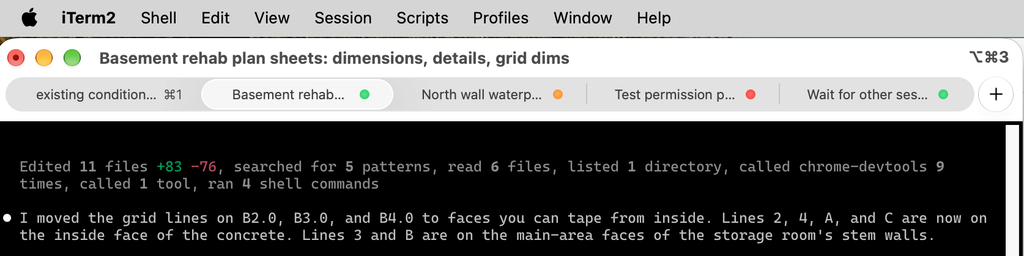
VS Code doesn’t read the status that Claude Code reports to the terminal at all, and its terminal tabs can’t change their icon after they’re created, so I wrote a small extension that puts a colored dot in the status bar for each session instead. It reads the status that Claude Code keeps in ~/.claude/sessions, and clicking a dot switches to that terminal. VS Code doesn’t let an extension change the built-in terminal tab icons, so it has to be a separate tab bar, unfortunately. You can see it in the bottom left: